
The rules of SEO are always changing, but Google’s latest updates are bigger than usual. If your business depends on online visibility (and it does), you will want to pay attention.
Google recently made three important updates:
- The 100 results per page option in search is gone
- Link rules for Google Business Profiles have tightened
- Profile suspensions are increasing across many industries
If you manage your online presence or work with a digital marketing agency, here is what you need to know and how to stay ahead.
🔍 1. Google Retires the 100 Result Search Page
What It Means for SEO and Rank Tracking
Google has officially removed the &num=100 parameter that allowed power users to view 100 search results on a single page. SEOs used this option for deep rank tracking, and now it is completely unavailable.
Why It Changed:
- To reduce scraping. Bots must now send 10 times more requests to pull the same amount of data, which makes scraping inefficient and expensive.
- To reduce system load. Serving huge search result pages uses a large amount of resources.
- To push API usage. Google would rather have users collect data through paid API services.
- To simplify the search experience. Most users never view more than one or two pages of results, so Google removed a feature that mainly served power users.
How It Affects SEO Tools:
- Rank tracking is more expensive because tools must send more queries to gather full data
- Ranking accuracy declines, particularly beyond the top 10 listings
- Search Console may look “off” as impressions and visibility may appear lower
To see the latest announcements directly from Google’s engineering team, visit the Google Search Central Blog.
What to Do:
Shift your SEO efforts toward top 10 performance, engagement, and improvement of click through rates. Deep tracking is no longer practical, so the focus now needs to be on stronger visibility within the highest ranking positions.
🔗 2. Google’s New Business Profile Rules on Links
What’s Changing and How to Stay Compliant
If your business relies on Google Business Profiles (GBPs) for visibility, pay close attention; new link rules are here, and they’re strict.
Key Changes:
✅ Each Location Needs a Unique Landing Page
No more sending multiple locations to a homepage or shared contact page. Every GBP listing now requires its own dedicated page.
✅ Action Links Must Go Directly to the Intended Action
Buttons like “Order,” “Book,” or “Reserve” must link directly to the page where users can complete the action.
🚫 Banned link types include:
- Social media
- Messaging platforms
- App store pages
- Shortened URLs (like Bit.ly)
✅ Google Must Be Able to Crawl the Links
Your action URLs must be fully crawlable. They cannot be:
- Blocked by robots.txt
- Behind login walls or CAPTCHA
- Returning 404 or 500 errors
- Behind IP blocks or restricted access
✅ Link Limits Are in Place
You can only add 20 links per action type; for example, 20 “Order” buttons total.
Who Needs to Take Action:
- Local Business Owners should review every link for each location
- Franchise Brands must create unique landing pages for all addresses
- Agencies should audit client profiles for broken or misplaced links
- Developers must ensure all pages are crawlable without restrictions
What Google Wants:
Google wants direct, functional, crawlable links that deliver what the user expects. If links do not meet these requirements, Google may remove them or reduce your visibility.
⛔ 3. Google Business Profile Suspensions Are Increasing
What Is Really Behind the Surge
There has been a significant rise in Google Business Profile suspensions in recent months, and many legitimate businesses have been affected.
What Is Causing the Suspensions?
🧠 AI Driven Spam Filtering
Google’s automated systems are becoming stricter and more sensitive. Suspicious behavior, unusual editing patterns, or anything that appears inconsistent may trigger a suspension even if the business is real.
🔗 Account Level Contagion
If someone who manages your profile has problems with their Google accounts such as Gmail, Google Ads, or YouTube, your listing may be affected even though your business did nothing wrong.
⚠️ Harsher Policy Enforcement
Google’s rules have not changed much, but enforcement has. Issues that once produced warnings now cause immediate suspension. These issues include:
- Keyword stuffed business names such as “Best Roofing Repair 24 7 Emergency Service”
- Virtual offices, co working spaces, or P.O. box addresses
- Duplicate listings in the same region
⏱️ Too Many Edits Too Quickly
Frequent changes to your business name, service area, or categories may be interpreted as manipulation, which triggers automated review.
Who’s Most at Risk:
- High-spam industries like HVAC, legal, plumbing, and locksmithing
- Agency-managed profiles with multiple linked accounts
- Service-area businesses (SABs) using residential or virtual addresses
- Profiles with inconsistent NAP info, keyword stuffing, or low-quality reviews
How to Protect Your Profile:
- Audit all manager accounts: remove inactive or suspicious users.
- Stabilize your NAP data: name, address, and phone must match everywhere.
- Use valid, customer-facing addresses: no P.O. boxes or coworking spots.
- Avoid keyword stuffing: keep business names clean.
- Document authenticity: licenses, photos, and signage proof may help in appeals.
📊 4. Bing Places for Business Gets a New Dashboard
What Microsoft’s Update Means for Local Visibility
While Google’s changes are stealing the spotlight, Bing is making moves of its own. Microsoft just rolled out a brand-new dashboard for Bing Places for Business, and it’s more user-friendly, data-driven, and designed to compete in local search.
Yes, Bing still matters, especially for users on Microsoft Edge, desktop searchers, and voice assistants like Cortana and Alexa.
What’s New in the Bing Dashboard:
According to Microsoft, the updated experience was shaped by user feedback and designed to help business owners better manage their online presence.
Several local SEOs have already posted screenshots of this new dashboard for business in Bing Places for Business on X and in the Local Search Forum. Here are a few of them:
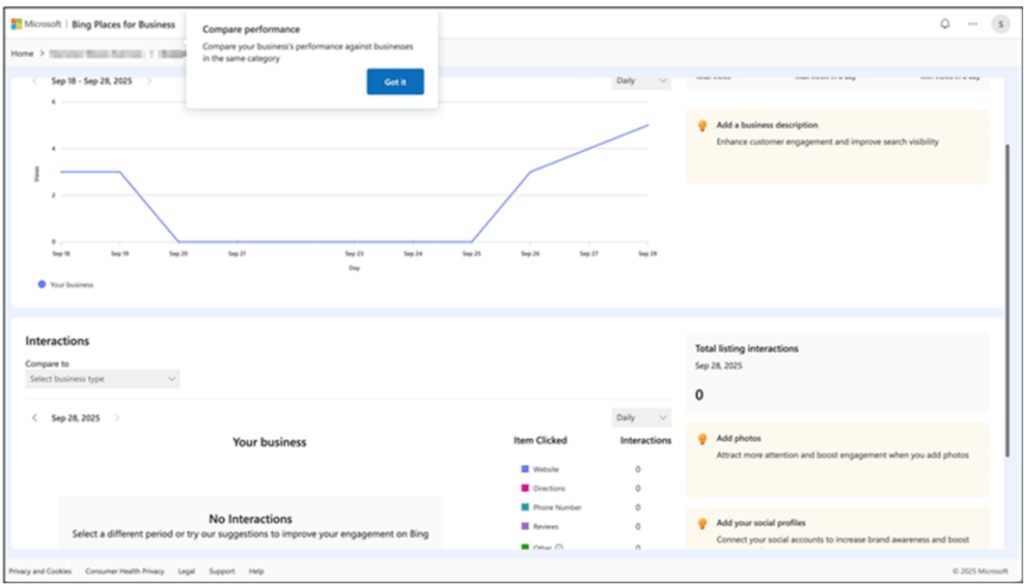
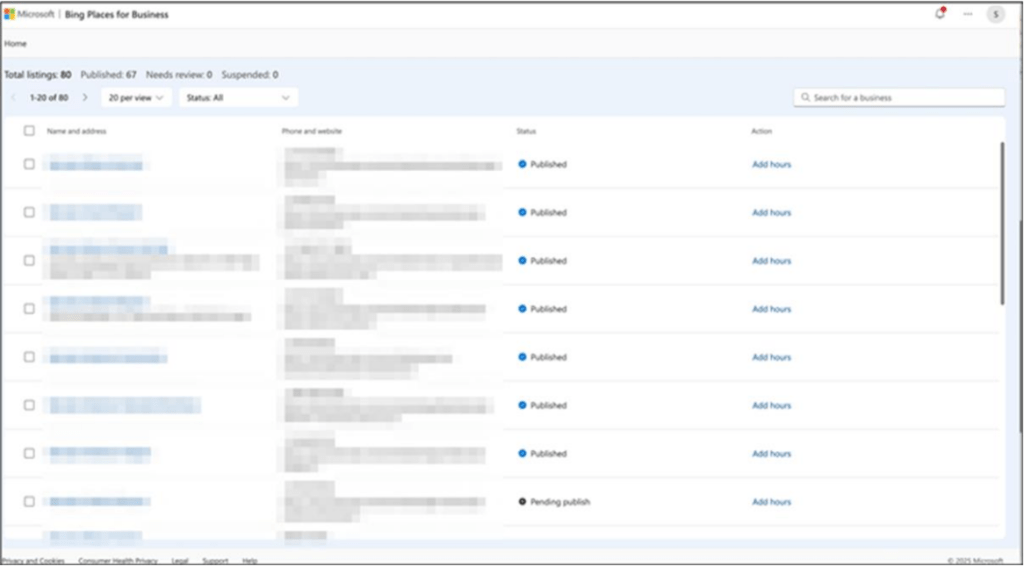
Here’s what’s been improved:
✅ A Fresh, Cleaner Interface
The dashboard is more modern and intuitive, making it easier to update hours, photos, and business info.
📈 Built-In Performance Insights
You can now compare your business’s performance against others in your category. This includes clicks, impressions, and engagement metrics.
🛠️ A Smart Recommendation Tool
Bing’s new tool gives you direct suggestions to improve your profile, like:
- Add more photos
- Add a business description
- Connect social media
- Try Bing Webmaster Tools
- Add your website
Here is a look at the recommendation tool:

🔁 Google Import Support
You can now import listings directly from your Google Business Profile, making it easier to sync across platforms.
Need help navigating Bing’s dashboard? Visit the Bing Places for Business help center for articles, setup guides, and optimization tips.
Why It Matters:
While Bing may not have Google’s market share, it still reaches millions of users daily, especially in desktop-heavy or corporate environments. A polished, optimized Bing listing helps:
- Improve your local visibility
- Capture extra traffic with less competition
- Support your SEO with multi-platform consistency
Your Digital Visibility Matters
These updates from Google and Bing directly affect how customers find and choose your business online. At Webmark Group, we stay ahead of industry changes so you can stay visible, compliant, and competitive where it matters most.
If you’re not sure how to respond to these updates or whether your listings are fully optimized, our local SEO services are designed to help you rank higher, earn more traffic, and stay in Google’s good graces.
To dive deeper into what Google expects from your listings, you can review the official Google Business Profile guidelines.
📅 Schedule a consultation today and let’s protect your online presence.